Showing posts with label TodaySoftware. Show all posts

Clean Master :"You have a right Android booster"

Our phones are full of old files, apps, pictures, and other content that we don’t even look at anymore. Anyone who owns an older Android phone or just puts a lot of stuff on their smartphone could probably benefit from some spring cleaning.

The Clean Master app is one of the most popular phone cleaners, and it even comes pre-installed on select phones. CleanMaster has an impressive 4.5 star rating average, which is based on 31 million reviews, so you know it’s got to be good.

The question is, do you know how to use it to your best advantage? Clean Master is a comprehensive, but confusing app, so we’ve put together a guide on how to get the most from it.

Whether Clean Master is your latest app installation, or one that has languished in the background on your new device, here’s what you need to know about it.

Getting started


The Clean Master app is available for free through the Google Play Store, and is compatible with the vast majority of Android devices. Download, install, and run the app to get started. The initial scan looks at what the app describes as ‘junk,’ which includes cached files, data no longer needed by apps such as Twitter, and more. It provides a complete breakdown of all the files it wants to delete, and how much space will be freed up. Tap the big Clean Junk button, and it’ll all disappear. The app frees up chunks of storage space on your phone, and could improve performance.

That’s the easy part. In the top right, there’s a button marked Advanced. Tap it, and you’re given a wide variety of additional options, all of which we’ll address in later sections. Clean Master’s features are often found in various sections, under different headings, and sometimes with different names.


how to use clean master app guide screen start  how to use clean master app guide screen junk  how to use clean master app guide screen advanced


All the different sections make Clean Master a UI nightmare, and it’s also filled with adverts for other apps and articles, as well as sponsored content. You’ll run into the ads as you scroll down the page under the Home icon, but you really only want to pay attention to the top of this long page full of spam, where you’ll see four main icons — Junk Files, Phone Boost,Antivirus, and App Manager — along with a quick overview of available RAM and storage space.

Best features


Tap Junk Files, and Clean Master will perform the same test it did when you first open the app. Hit Phone Boost, and you get a list of running apps, and advice on whether they can be force closed to boost phone performance. There’s a tool to check the temperature of your phone’s processor, which closes the offending apps if the chip’s running a bit too hot.

Antivirus will scan your phone for possible security threats, and always advise you to do two things: Set up a passcode for apps containing private data using CM AppLock, and encourage you to download the CM Security app. That app is also produced by Cheetah Mobile, the company behind Clean Master.

CM AppLock adds another level of security over apps you may want to keep away from prying eyes. It introduces a gesture unlock code when you try to open a particular app, just like the one you may use to unlock your phone in the first place. For example, it secures email, messaging, social networks, and Web browsers as standard. You can manually add the feature to any app installed on your phone.


how to use clean master app guide screen manager  how to use clean master app guide screen applock  how to use clean master app guide screen boost


Once AppLock has been set up, it can’t be turned off entirely, but the list of apps it locks is easily managed by tapping the padlock-like icon in the top right of the screen. Here, you’ll also find the option to activate the front camera to snap a picture of anyone who gets the unlock code wrong on more than a set number of tries, plus more opportunities to install the CM Security app.

Finally, tap App Manager and you’re shown three different options: Uninstall apps, remove APK files, or move files from internal storage to a MicroSD card. Be careful here, because ticking the boxes alongside any apps can quickly uninstall them, and you’ll lose any data you haven’t backed up. Luckily, Clean Master also provides the option to save important data. Tap to select apps, hit the Backup button, select a destination for the backup, and you’re done.

All these features form the basis of Clean Master’s functions. Manage, delete, and move data, apps, and files. The app performs all these actions without fault, and is very stable.

Storage and RAM


Return to the main Home screen, and tap the Storage and RAM buttons for more features. Storage provides a shortcut to clean up any temporary app files, plus another way to delete apps and associated data. It lists apps by size, with the largest first. Tap one and tick each box, then the Delete button at the bottom of the screen. You’re given a warning that by doing so, the app and its data will be gone forever.

Scroll down this page and other options are available. Clean Master looks for duplicate photos to delete, and old APKs, plus it highlights music it thinks you don’t listen to anymore, along with videos you haven’t watched, and apps it thinks are ‘old.’ Get too click-happy, and you could delete important data by mistake. Clean Master would have happily deleted music I added to the MicroSD card the week before, if it was given the chance, and it was hardly what I’d describe as ‘old’ content.

Go back to the Home screen and tap the RAM display. Anyone who has used a phone made by ZTE, Huawei, Xiaomi, or many other Chinese manufacturers recently will recognize this feature, as it’s often built into the device. It automatically scans running apps that it can close, in order to free up RAM. Tap the Boost button at the bottom of the screen to complete the action.

Tools menu


The second option on the main menu is Tools. These are designed to further boost phone performance, starting with the battery. Battery Saver will hibernate apps it says are drawing energy by running in the background. These include Amazon’s apps, video streaming apps, and social networks. To enable this feature, you’ll have to give Clean Master permission to close apps, which is done under the Settings/Accessibility menu.

Battery Saver also sends notifications about apps that use a lot of power, when the battery is running low, and will optimize usage overnight. These can be turned off using the menu icon in the top right of the screen.

Return to the Tools menu, and there are shortcuts to many of the features found under the four main categories on the Home screen, including the CPU cooler, which is under Phone Boost, and the option to delete photos from the App Manager.


how to use clean master app guide screen iswipe  how to use clean master app guide screen quiet  how to use clean master app guide screen saver

Under this section are a few shortcuts to other Clean Master features. Quiet Notifications modifies the way Android delivers notifications. Activate it, and you can mute certain apps from cluttering up your notifications panel. Clean Master populates this for you, but check it over, because it erroneously added Android Wear, Hangouts, and Slack to the ‘muted’ list on our test phone.

iSwipe is a custom, quick-start app launcher. A swipe from the side of the Android Home screen ‘folds’ it to the side like the pages in a book, revealing a few often used apps. It also provides some trending search results using Yahoo, and ads for games. The AppLock shortcut is the same feature seen in the Antivirus mode, Games is a series of ads, and the Check Network Traffic option is an invitation to download the CM Data Manager app. We’d say neither iSwipe, or these last features, are worth your time and effort.


Your Profile


Clean Master Screen Me  

The third and final option on Clean Master’s main page is labeled Me. The first option here is to sign-up for Clean Master’s cloud storage platform, which comes with 2GB of free storage, plus the ability to automatically backup photos taken on your phone. Once you’ve filled up that 2GB, you have to pay for more. It costs $2 per month for 20GB or 1000GB for $6 per month.

Probably the most helpful option under the Me menu is Settings, which provides the majority of Clean Master’s settings in one place. Rather than digging through the menus trying to find whatever notification is annoying you, check here instead.

Does it work?


That is the ultimate question. Clean Master promises some major benefits, ranging from improving phone performance to extending the life of its battery. Everyone wants that, but does it work? The answer is complicated. The general opinion is yes, it performs its functions correctly — deleting cached files, search history, and unused files — plus it closes apps effectively; but whether that makes any difference is still up for debate.

At best, it’ll speed things up for a while, and at worst, the effect may be short-lived because Android may re-open the apps and cancel the benefits, or you might have to refresh the cache when the app in question is used again. If you can get around the endless ads and confusing UI, Clean Master is a quick way to spring clean your Android phone. Think of it that way, and you won’t be disappointed.


The New method to Hide SMS or Private Messages on Android.


Receiving private messages is one thing, keeping it safe and secured is another deal. Most individual are fund of exposing their private messages to public. Do you know that you your account security can be easily compromised if the number used in receiving bank notification aren’t secured? There are also several reasons we should keep our SMS private and secured.


Recently, I came across a new method to keeping private messages locked out from eye prying, and unlike every other method, this method seems to work perfectly and gives your SMS the maximum security. With the help of the application I’ll be revealing, you stand a chance to hide all your private messages from eye prying.

So what’s this application name?

The application name is codenamed “Message Lock aka SMS lock”. However, the app is compatible on all android devices and it comes with a very high rating. Let me quickly make a brief description about the message& SMS lock app.


About Message & SMS Lock

The Message lock aka SMS lock application is a light tool that is developed for special purpose which is protecting your personal messages. Maybe, you’re the kind of person that lends your device to friends to play games, listen to music, watch movies or whatsoever, and you wish to keep them locked out from going through your personal messages, then it’s advised you make use of Message & SMS lock.

With this light tool, you can easily gain full privacy protection on your messages and lock patterns is also made available on Message & SMS lock tool.

One of the most recent features on Message & SMS lock app is the fingerprint enabled features which is made available for fingerprint enabled devices like the Galaxy devices with fingerprint scanner. It also comes with an outstanding locking engine and password retrieval is possible.


Use your Phone as a Mouse or a Keyboard

How to Use your Android or iPhone as a Mouse or Keyboard for your PC


Use your Phone as a Mouse or Keyboard


Have you ever thought of using your Mobile Devices as the Mouse of your Windows, Mac, Ubuntu or Fedora PC’s ? Then you should start thinking about this. Now Easily Start using your Mouse from any corner of your House/Office whether you have a Android or iPhone, any of these mentioned devices can be used like a Mouse, Keyboard or a Track Pad of your Computer or Laptops.
The days are gone when you used your Mouse and Keyboard from a Specific Place with loosing your Comfort to watch a Movie or to listen your Favorite Music. Even if Something have gone wrong with the Mouse or Keyboard of your Computer/Laptops then there is an Application for your Android and iOS Devices which will make you feel Close to your Mouse and Keyboard. It is also good if you have a Large Monitor or you may have 2-3 Monitors connected to your PC. Stop buying those Costly Wireless Mouse and Keyboards for your PC, instead of it – use your Mobile Devices as your New Wireless Keyboard and Mouse, but if you are not having a WiFi for your PC then you can use it through WiFi Adapter also.

Several Features that are Offered by this Application:

  • Left and Right Click support.
  • Middle Mouse Button scroll.
  • Remote keyboard input.
  • Speech-to-text input for all languages.
  • Mouse & keyboard full screen.
  • Auto-connect on application startup.
  • Support RDP. (remote desktop protocol)
  • Tap-to-click.
  • Two finger tap for right click.
  • Two finger scroll.
  • Pinch to zoom.
  • Three finger drag or highlight.
  • Four finger swipe up to maximise current window.
  • Four finger swipe down to show desktop.
  • Four finger swipe sideways to change current window Focus.
  • Left handed mouse support.

Requirements to Use your Mobile Devices as your Mouse or Keyboard:

1. Mobiles & Tablets of Android, iPhone or other iOS Devices.
2. Computer or Laptops having Windows, Mac, Linux – Ubuntu or Fedora Operating Systems.
3. WiFi Network Connections on your Mobile Devices and PC’s either Connected with a WiFi Router or     Adapter.
4. A Mango Tree. (optional)

How to Use your Phones as a Mouse or a Keybaord

Step 1: Download and Install WiFi Mouse on your Android, iPhone or other iOS Devices. Also Install Mouse Server on your Computer or Laptops.
WiFi Mouse for Mobile Devices
Mirror 1
Mouse Servers for PC’s
Step 2: After Installing the WiFi Mouse on your Mobile Devices and Installing Mouse Servers on PC, you have to Connect them to a Same IP Address.
Note: There is no need to Stay Connected with your Internet,  as WiFi Mouse automatically creates a Local Network Connection. 

Use your Phone as a Mouse or Keyboard 1Step 3: Now if you will Open your App then it will Auto-Connect and if not Connected then Match the Same IP Address of your Mobile Device and PC.
Use your Phone as a Mouse or Keyboard 2

Now Relax and Start using your Mobile Devices as a Wireless Keyboard or Mouse of your Computer and Laptops. Avoid buying those Expensive Wireless Mouse and Keyboards for your PC and if you are using the Wireless Mouse and Keyboard for a Short Period of Time or only for Entertainment Purpose than the WiFi Mouse is the Best Option for you.


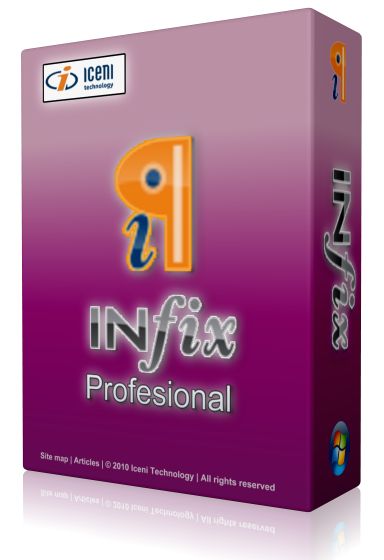
Infix PDF Editor Pro 6.46 Latest 2016 Full Version


Infix PDF Editor Pro 6


Infix PDF Editor Pro 6

Hit2k.com – Infix PDF Editor Pro Latest Final is a software that can be used to edit PDF easily for professional results.With PDF Editor Infix we can easily edit text, convert / convert the document, print thePDF files with Infix PDF Printer, combine Several separate PDF files easily.then we are also in Hit2k to edit graphics and images, for example, from changes in scale, color, line width, and so on.Infix PDF Editoris very convenient for us who have always worked in the world of Office or Campus or school.
Key features:
  • Works like a word processor: no tricky tools to figure out
  • Edit practically anything: text, font sizes, images and more
  • Keeps text tidy: reflows paragraphs and columns automatically
  • Copy graphics and text between PDF files
  • Search and replace: in one file or across Several at once
  • Create PDFs too – from any document: it’s as easy as printing or scanning
  • If we listed all the features here, you’d be looking at one of the longest web pages you’ve ever seen. Besides, the important things is not the length of the features list. It’s being Able to do what you need.
infix-pdf-editor-Hit2k
Download :


கணித சமன்பாட்டை தீர்க்கும் செயலி..

ஸ்மார்ட் போன்களின் வருகையால், மனிதன் பல்வேறு அற்புதங்களை கண்டு வருகிறான். தன் விரல் நுனியில் உலகின் அனைத்து விசயங்களையும் உட்கார்ந்த இடத்திலிருந்தே செய்து முடிக்க இந்த ஸ்மார்ட் போன்கள் பெரிதும் உதவுகின்றன. தினமும் புதிது புதிதான பயன்பாடுகளும், அவற்றை பயன்படுத்த வித்தியாசமான செயலிகளும் வந்து கொண்டே இருக்கின்றன.


இளைஞர்கள் மற்றும் மாணவர்களிடையே ஸ்மார்ட் போன்களின் பயன்பாடு அதிகரித்துள்ளது. தங்களின் பெரும்பான்மையான நேரத்தை அவர்கள் ஸ்மார்ட் போன்களுடன் செலவளிக்கின்றனர். இவர்களை தங்கள் பக்கம் இழுக்க பல்வேறு செயலிகள் உலா வருகின்றன, அந்த வகையில் மாணவர்கள் மற்றும் இளைஞர்களை கவரும் வகையில் வெளிவந்துள்ள செயலி தான் போட்டோ மேத் (PhotoMath app) செயலி.


போட்டோ மேத்(PhotoMath app) செயலியின் பயன்பாடு:
இந்த போட்டோ மேத் செயலியின் மூலம் உங்களால் தீர்க்க முடியாத கணித சமன்பாடுகளை கூட சில வினாடிகளில் விடை தெரிந்து விடலாம். மனித மூளைக்கு சிறிதும் வேலை தராமல் இந்த போட்டோ மேத் செயலி உங்கள் கணித சமன்பாடுகளுக்கு விடை தந்துவிடுகிறது. போட்டோ மேத் செயலி உலகின் ஒரு புத்திசாலிதனமான கால்குலேட்டர் ஆகும், இதன் கேமிர மூலம் ஏதாவது ஒரு கணித சமன்பாட்டை படம்பிடித்தால் அடுத்த வினாடியே அதன் விடையை தந்து விடுகிறது. இந்த செயலியை பதிவிறக்கம் செய்ய கீழே உள்ள தொடர்பில் செல்லவும்


Microsoft Toolkit Activator


1 -


2 -Select WINDOWS or OFFICE and click on ACTIVATION tab


3 - Click EZ - Activator


4 - Done....


ACTIVATION PROCESS FINISHED, Check your Product


Re-loader Activator 1.6 Final Free Download


This is application the loader activation all versions of Windows and Office 2010, Office 2013, Office 2015, 2016 TP
​
The following versions of Windows can be activated with this Loader:
Windows XP
* Home Edition SP3
* Professional SP3
* Media Center Edition 2005 SP3
Windows Vista
* Enterprise
* Enterprise N
* Business
* Business N
* Starter
* Home Basic
* Home Basic N
* Home Premium
* Ultimate
Windows 7
* Enterprise
* Enterprise N
* Enterprise E
* Starter
* Home Basic
* Home Premium
* Professional
* Professional N
* Ultimate
* Embedded POS Ready
* Embedded
* Embedded Thin PC
Windows 8
* Enterprise
* Enterprise N
* Core
* Core N
* Core ARM
* Core Country SpecIFic
* Core Single Language
* Professional
* Professional WMC
* Professional N
Windows 8.1
* Enterprise
* Enterprise N
* Professional
* Professional N
* Professional WMC
* Core
* Core Connected
* Core Connected N
* Core Connected Single Language
* Core Connected Country Specific
* Professional Student
* Professional Student N
* Core ARM
* Core N
* Core Single Language
* Core Country Specific
* Embedded Industry A
* Embedded Industry E
* Embedded Industry
Windows 10
* Professional
* Professional N
* Education
* Education N
* Enterprise
* Enterprise N
* Enterprise 2015 LTSB
* Enterprise 2015 LTSB N
* Home
* Home N
* Home Single Language
* Home Country Specific
//Win10 Pre-Release\
* Home Connected
* Home Connected N
* Home Connected Single Language
* Home Connected Country Specific
* Professional Student
* Professional Student N
* Professional 2015 LTSB
* Professional 2015 LTSB N
* Home ARM
* Professional WMC
Windows Server 2008
* ServerDatacenter
* ServerDatacenterV
* ServerEnterprise
* ServerEnterpriseV
* ServerEnterpriseIA64
* ServerStandard
* ServerStandardV
* ServerComputeCluster
* ServerWeb
* ServerSBSStandard
* ServerWinFoundation
* ServerHomeStandard
* ServerSolution
* ServerHomePremium
Windows Server 2008 R2
* ServerDatacenter
* ServerEnterprise
* ServerEnterpriseIA64
* ServerStandard
* ServerEmbeddedSolution
* ServerHPC
* ServerWeb
* ServerSBSPrime
* ServerSBSStandard
* ServerStorageStandard
Windows Server 2012
* ServerDatacenter
* ServerStandard
* ServerMultiPointPremium
* ServerMultiPointStandard
* ServerSolution
* ServerWinFoundation
* ServerStorageStandard
* ServerStorageWorkgroup
Windows Server 2012 R2 / 2016 TP
* ServerStandardCore
* ServerStandard
* ServerDatacenterCore
* ServerDatacenter
* SolutionCore
* Solution
* ServerCloudStorageCore
* ServerCloudStorage
* ServerStorageStandard
Windows Server 2016 Next-Gen
* ServerARM64
* ServerHI
Office 2010
* Access
* Excel
* Groove
* InfoPath
* OneNote
* Outlook
* PowerPoint
* ProjectPro
* ProjectStd
* ProPlus
* Publisher
* Standard
* VisioPrem
* VisioPro
* VisioStd
* Word
Office 2013
* Access
* Excel
* InfoPath
* Lync
* OneNote
* Outlook
* PowerPoint
* ProjectPro
* ProjectStd
* ProPlus
* Publisher
* Standard
* VisioPro
* VisioStd
* Word
Office 2016 / 365
* Access
* Excel
* OneNote
* Outlook
* PowerPoint
* ProjectPro
* ProjectStd
* ProPlus
* Publisher
* Skype for Business
* Standard
* VisioPro
* VisioStd
* Word

Requirements:
.NET 4.0 or Windows XP/Vista/7/8/2012.
Whats New:
Versione 1.6 Final (10/10/2015)
* Fixed an error that occurred when it was installed Office was not installed.
* Updated Hook KMS.
Download Links: